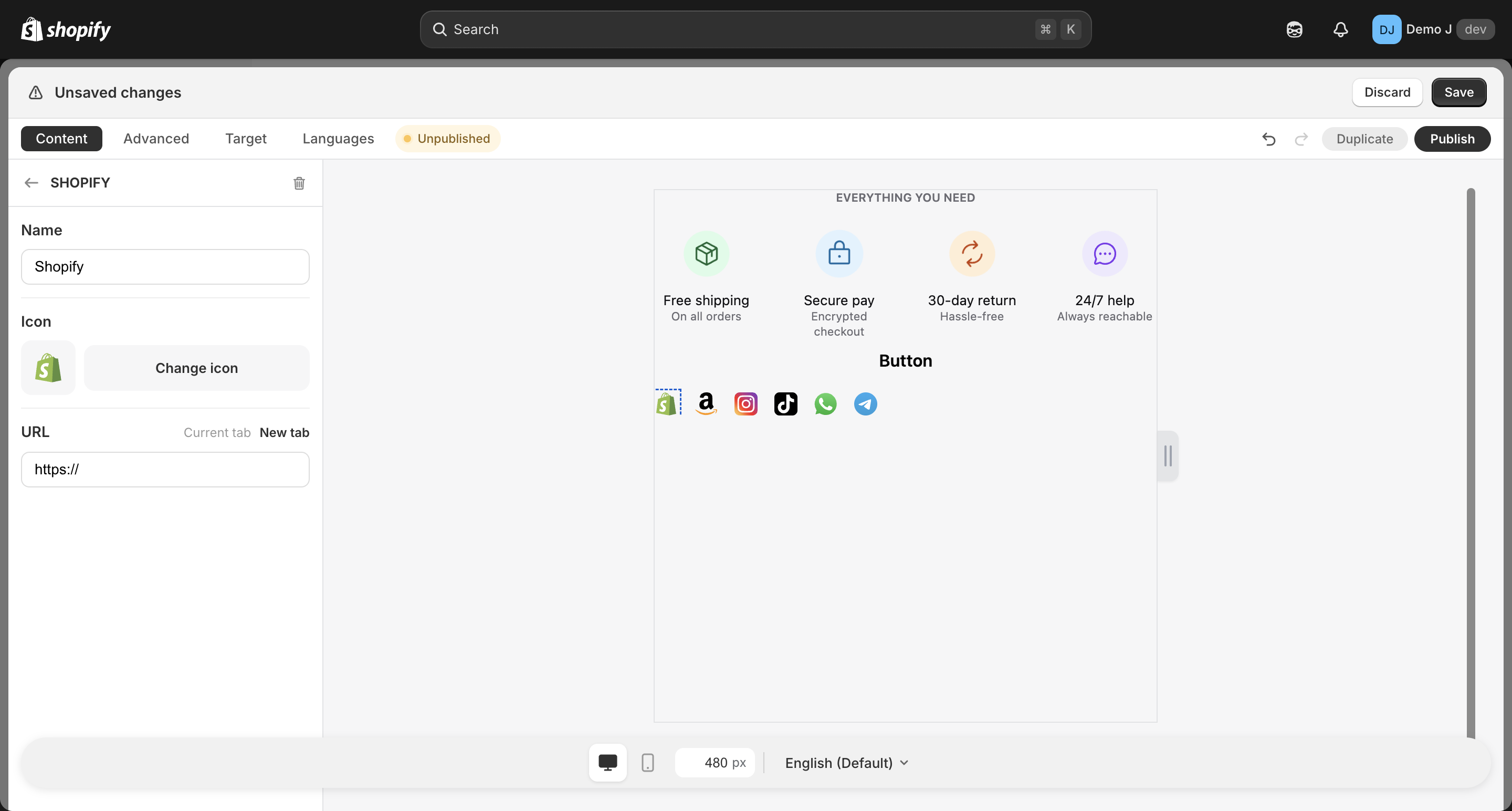
Brand icon (item)
Brand icon (type: brand_icon, display name “Brand icon”). Used as a child of Brand icons container — not added directly as a top-level component.
i18n’s
type.brand_icon(singular) andtype.brand_icons(plural container) share the same display name — merchants don’t see this distinction in the admin, only the container and its children.
Fields
Section titled “Fields”Source
Section titled “Source”- Icon library (
brandfor e-commerce /socialfor social media / SNS /contactfor messaging) filtered by category - After selecting a brand, the corresponding R2 resource is auto-loaded
Variant
Section titled “Variant”- Color (
color) — official brand color - Mono (
mono) — black & white version
- Link — URL
- Target — Same tab / New tab
- Icon size follows the parent container (
brand_icons)desktopSize/mobileSizefields uniformly
Container relationship
Section titled “Container relationship”brand_iconitem fields are child-level: source, variant, link, targetbrand_icons(container) fields are container-level: direction, alignment, gap, hover animation, card mode, unified icon size- Merchant adds the container in the editor first, then enters the container to add / edit each
brand_iconchild