
Placement reference and custom anchors
This page is a quick reference for the 7 placement options shown in the editor and how to fill custom anchor selectors when your theme isn’t auto-detected.
The 7 placement cards
Section titled “The 7 placement cards”The Target tab’s Placement section offers seven cards:
| Card | What it does |
|---|---|
| Product page | Mounts near the product page’s Add-to-cart button (the system picks the exact spot for your theme) |
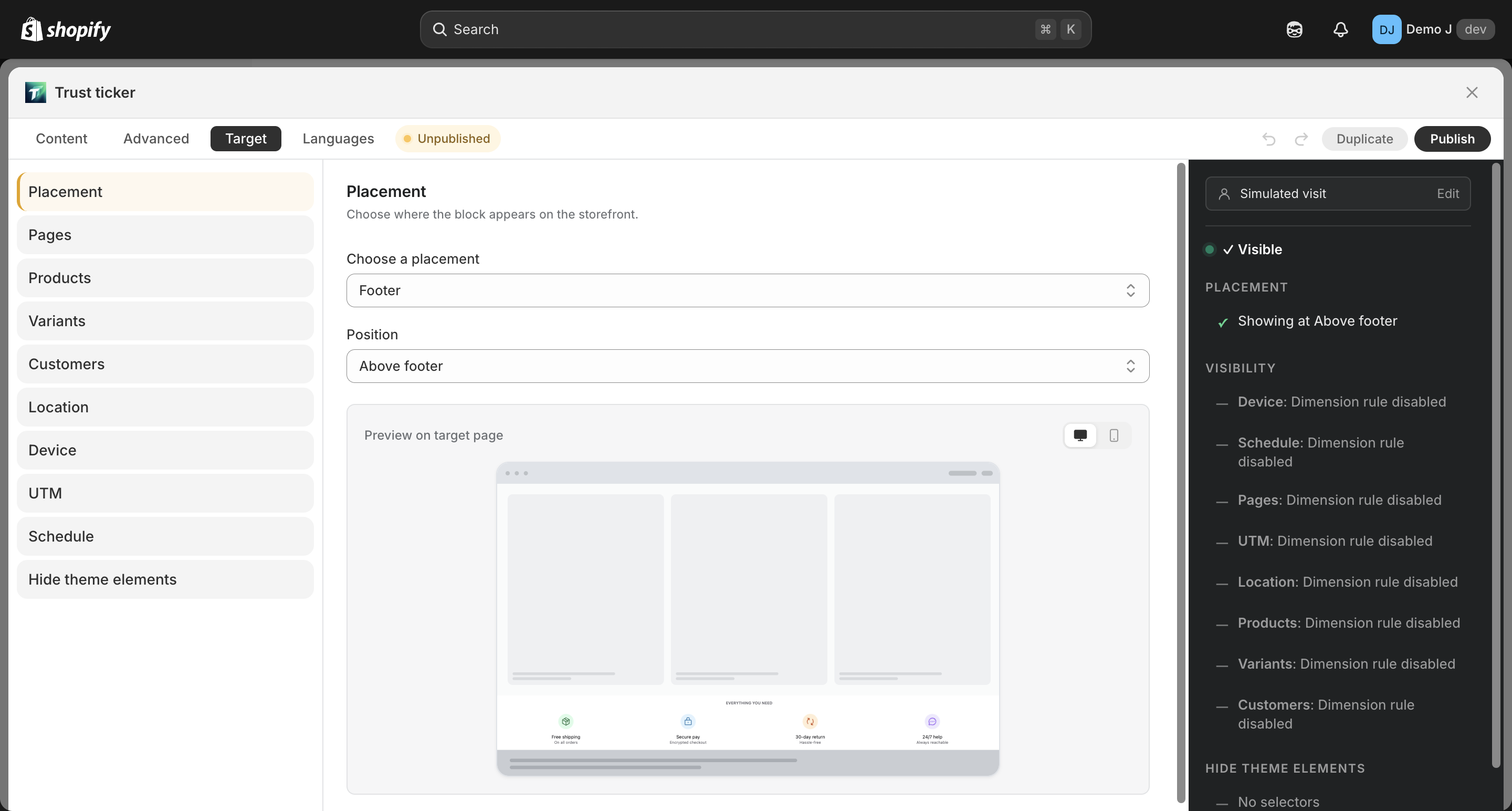
| Footer | Two buttons inside the card — choose Above footer or Below footer |
| Floating Icons | Pinned to a viewport edge — choose Top, Bottom, Left, or Right |
| Cart Drawer | Mounts inside the cart drawer |
| Cart Page | Mounts on the cart page |
| Custom Position | You drop the block onto a theme template manually (see Custom placement) |
| Product image overlay | Overlay on product images (Label block; PDP and collection cards) |
Custom anchor selectors (when auto-detection misses your theme)
Section titled “Custom anchor selectors (when auto-detection misses your theme)”If your theme isn’t recognized, the diagnostic panel shows “No available placement on this page”. Fill custom CSS selectors in the Target tab advanced section to tell the app where to mount.
Example:
{ "product": ["#alt-buy-button-region"], "productList": [], "productMedia": [], "exclude": [".competitor-badge"]}| Field | What it controls |
|---|---|
product | Where the block mounts on a product page (highest priority — overrides the auto-detected location) |
productList | Each product card on collection / search / recommendation pages |
productMedia | The image / media slot inside a product card (used for image overlays) |
exclude | Selectors to skip — e.g. a competitor’s badge or a theme element you don’t want the block near |
Limits:
- Up to 24 selectors per block
- Use real CSS selectors (
.class,#id,[data-attr], etc.) — anything jQuery-only or invalid is ignored
Tip: open your storefront, right-click the spot you want the block at → Inspect → copy a stable selector (prefer a class or data- attribute over generated IDs).
Diagnostics: which spot did it actually use?
Section titled “Diagnostics: which spot did it actually use?”The diagnostic panel in the Target tab StickyBar shows the actual mount target picked at runtime. Useful when the block appears, but not where you expected.
Related
Section titled “Related”- Auto vs manual placement modes: Placement modes
- Manual placement walkthrough: Custom placement