
Languages tab
The “Languages” tab provides block text translations for all locales the shop has enabled. Storefront widget.js reads buyer’s locale and applies the matching translation.
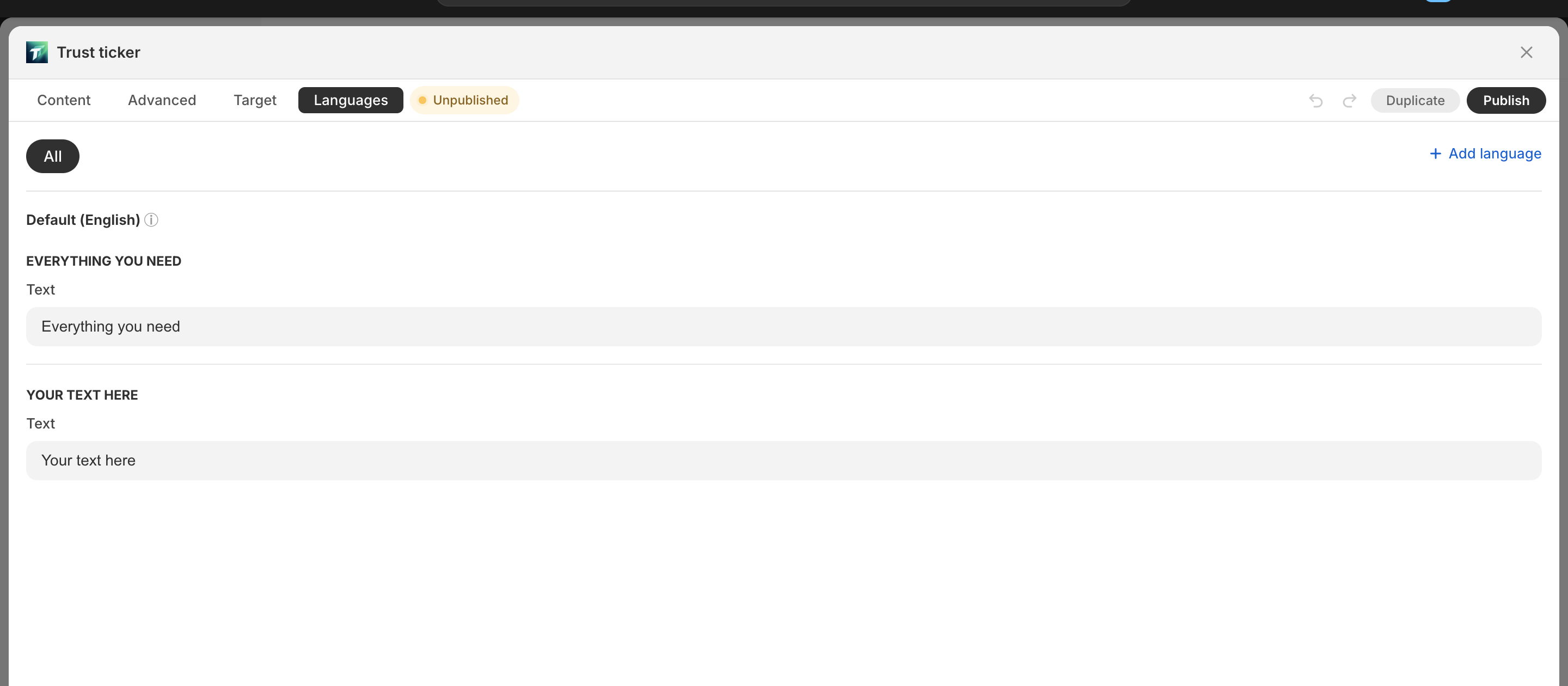
Layout
Section titled “Layout”- Top: language pills — each enabled language is one pill
- Add language: “Add language” button → opens picker filtered to shop’s enabled languages
- Active language pill highlighted
Translation table
Section titled “Translation table”Rows = each translatable field; columns = each language.
- Field label — common names:
- Heading / Text label
- Button / Coupon label
- Badge title / subtitle
- Popover title / description
- URL field
- “Default” column — marks which language is the default (untranslated fields fall back here)
- Other language columns — fillable text inputs
Fallback behavior
Section titled “Fallback behavior”Tip: “If a language has no value, it falls back to the default language.”
Storefront widget.js:
- Reads
window.Shopify.locale(strips region suffix, e.g.en-US→en) - Looks up translation in
config.locales[locale] - Not found → falls back to default language
Auto-pruning stale translation keys
Section titled “Auto-pruning stale translation keys”When a merchant deletes a component, pruneStaleLocales (commit f531283) auto-removes the corresponding translation keys from config.locales — preventing residue.
Field path format
Section titled “Field path format”Translation map keys use dotted paths:
"locales": { "es": { "comp_abc123.label": "Texto traducido", "comp_abc123.popover.title": "Título del popover" }}Format: <componentId>.<fieldPath>. The runtime walks the content tree applying these per-component.