Block list
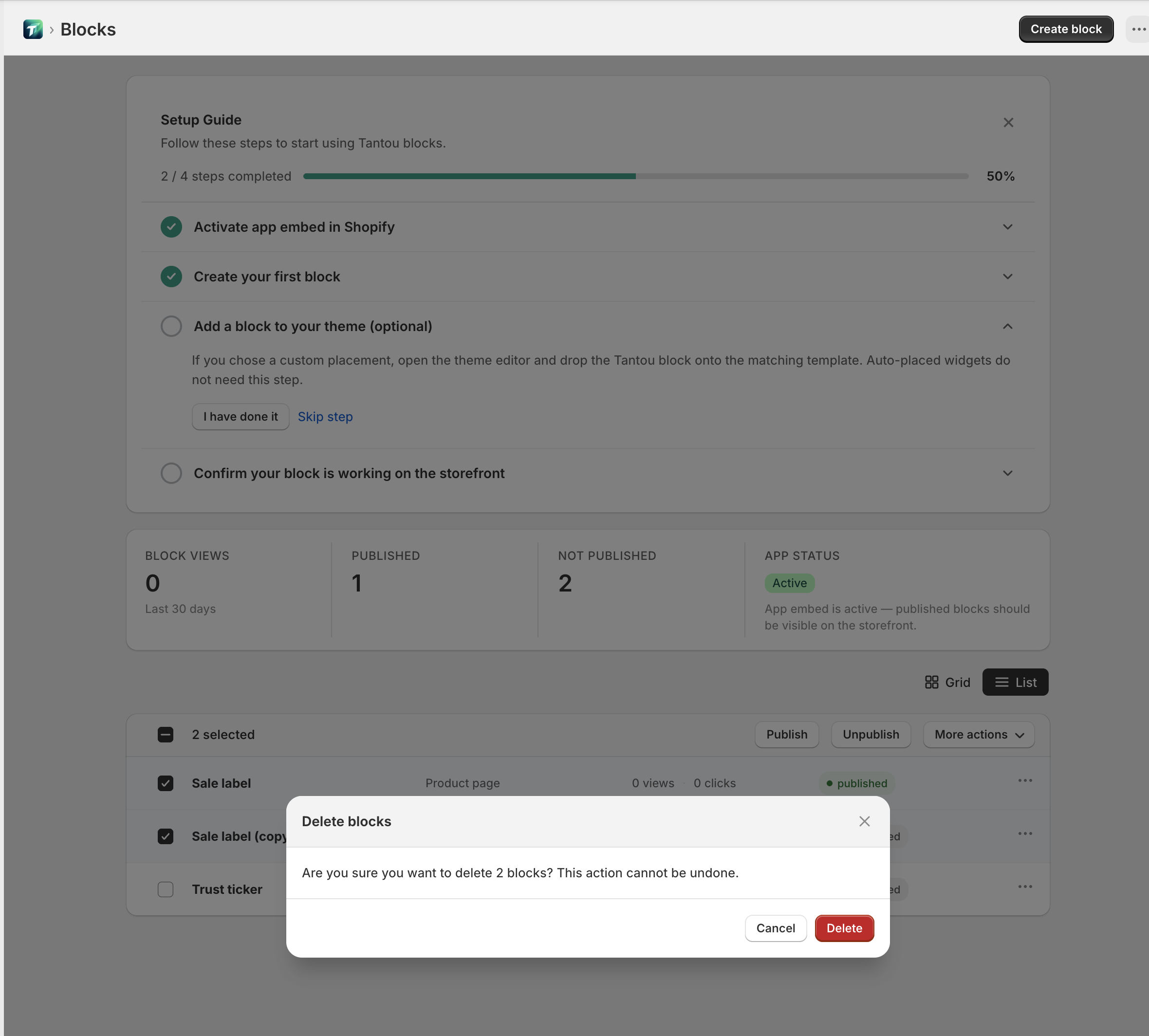
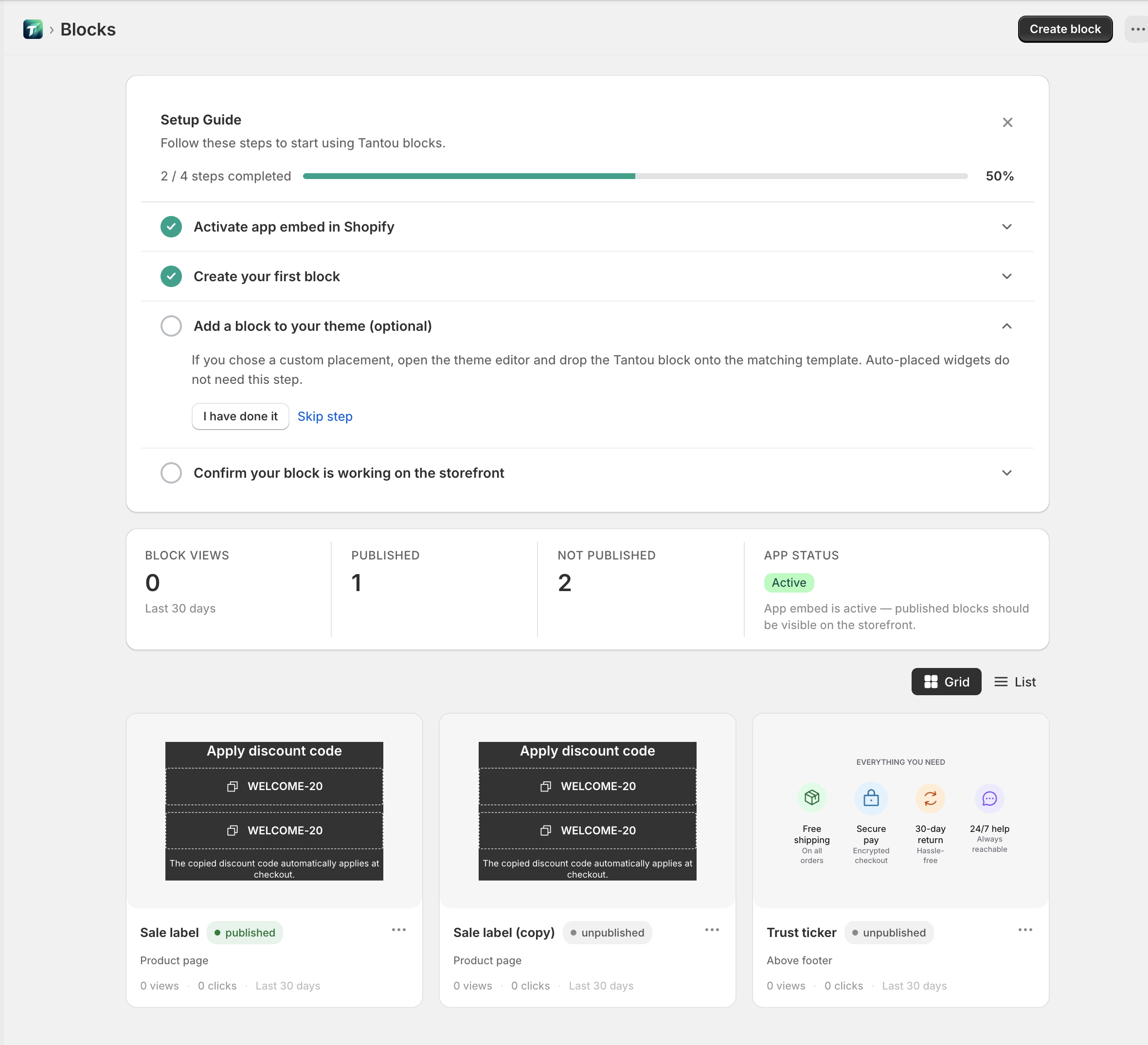
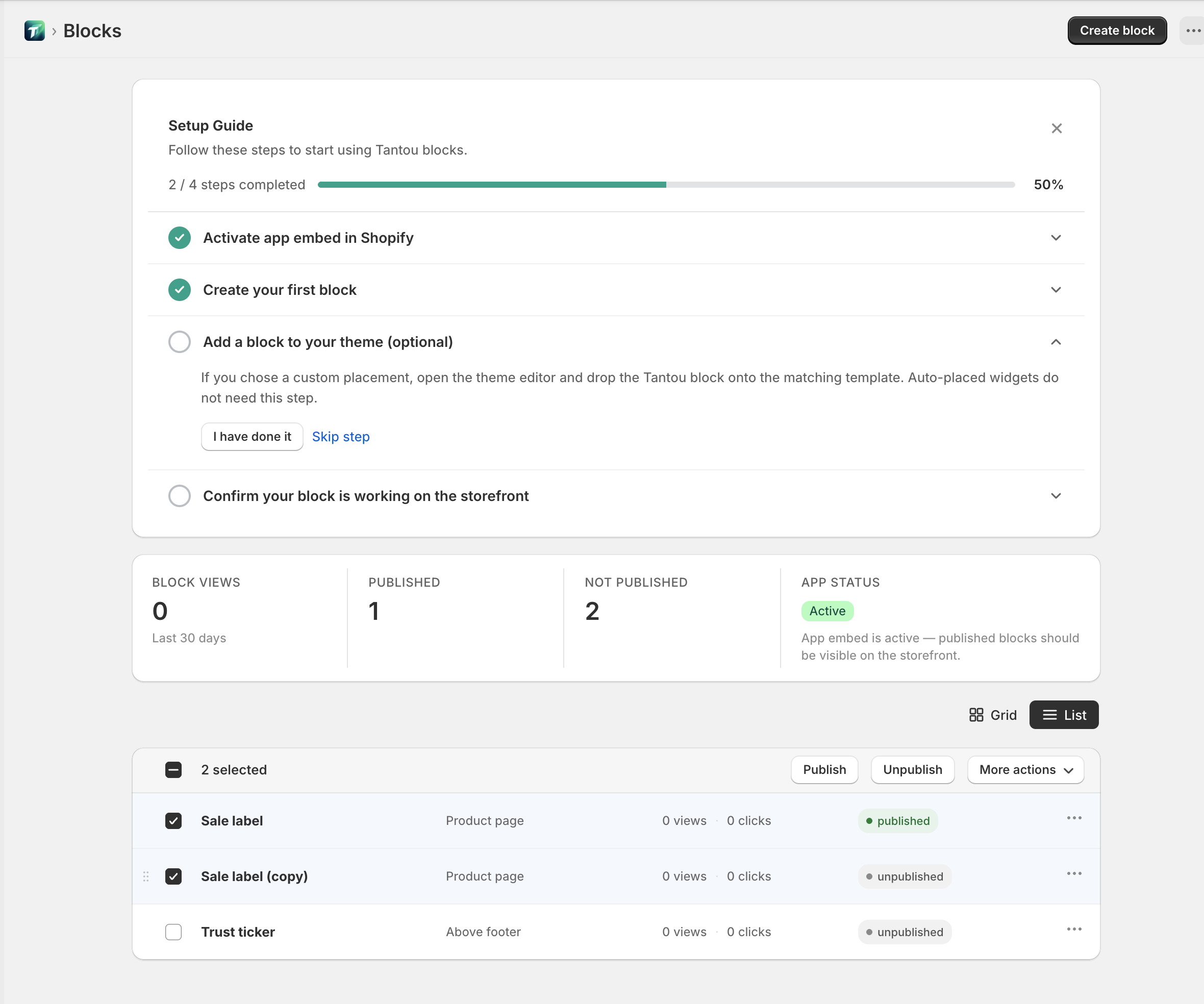
The default page after installing the app, titled “Blocks”. Centralized management of all blocks in your store.
Header
Section titled “Header”- Page title: “Blocks”
- Primary action: “Create block” button → Block creation wizard
Setup guide (conditional)
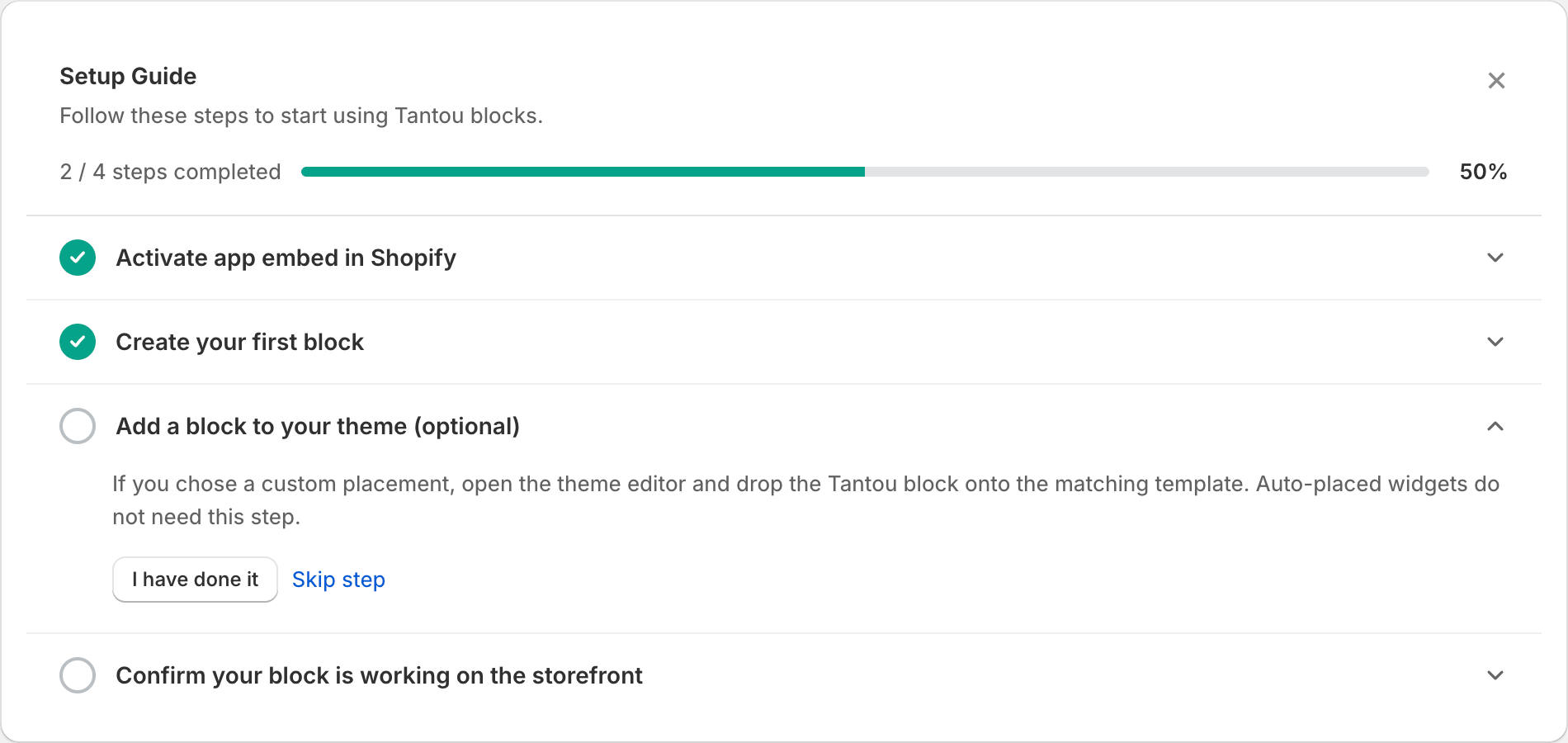
Section titled “Setup guide (conditional)”Shown when install steps are incomplete. The “Setup Guide” card:
- Subtitle: “Follow these steps to start using Tantou blocks.”
- Progress: “{done} / {total} steps completed”
- 4 steps: “Activate app embed in Shopify” → “Create your first block” → “Add a block to your theme (optional)” → “Confirm your block is working on the storefront”
- “I have done it” / “Skip step” / “Dismiss setup guide”
StatsRow
Section titled “StatsRow”Four cards:
-
“Published” count
-
“Not published” count
-
“Block views” (“Last 30 days”)
-
“App status” — “Active” / “Inactive”
- “Active” description: “App embed is active — published blocks should be visible on the storefront.”
- “Inactive” description: “App embed is disabled. Blocks will not render on the storefront until enabled.” + “Activate” button

View toggle
Section titled “View toggle”Top-right “Grid” / “List” toggle.
Grid view
Section titled “Grid view”Four-column responsive layout. Each card:
- Live block preview (200px tall, interactive)
- Name (bold) + status badge (“Published” / “Not published” / “Pending” / “Error” / “Custom” / “Scheduled” / “Expired” / “Hidden”) + ⋯ menu
- Placement label
- Stats row: “{n} views” · “{n} clicks” · “Last 30 days”
- “Copy ID” button (tooltip: “Copy this block’s ID for the theme editor”)
- “Add to theme” button (tooltip: “Open the theme editor with this block pre-selected”, opens theme location picker: Home / Product page / Collection page)
- ⋯ menu: Edit / Rename / Duplicate / Delete
List view
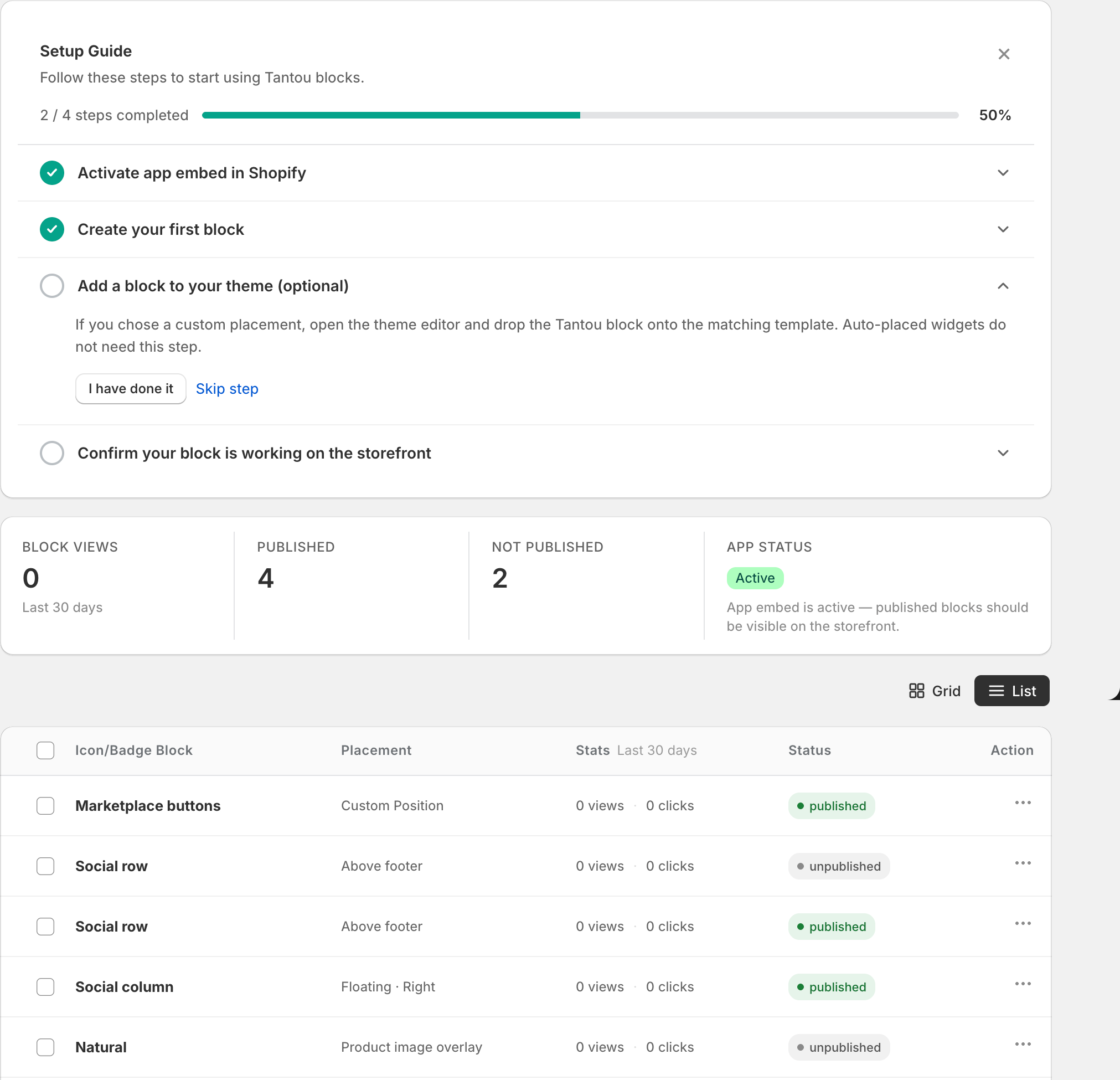
Section titled “List view”Header columns: Name / Placement / Stats / Status / Actions
Row interaction: drag to reorder, checkbox to bulk-select.
Bulk actions bar (shown when selecting):
- “{n} selected”
- “Publish” / “Unpublish” buttons
- More Actions: Duplicate / Delete
Row ⋯ menu: Edit / Rename / Duplicate / Copy ID / Delete
Empty state
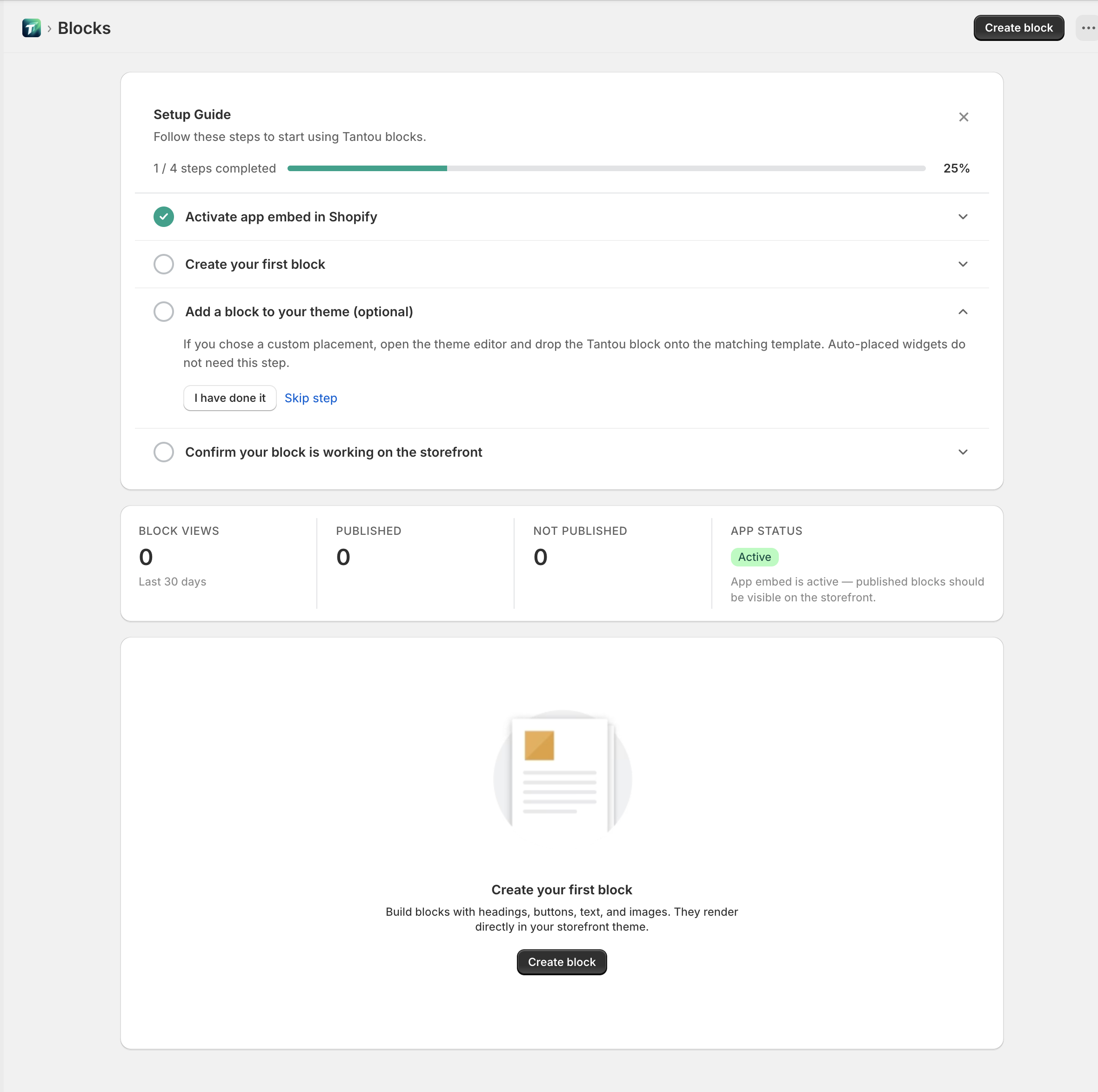
Section titled “Empty state”Shown when no blocks exist:
- Title: “Create your first block”
- Description: “Build blocks with headings, buttons, text, and images — they render directly in your store theme.”
- “Create block” button
Dialogs
Section titled “Dialogs”- “Rename block”: title + text input + “Save” / “Cancel”
- “Delete block” confirmation: “Are you sure you want to delete “{name}”? This action cannot be undone.” + “Delete” / “Cancel”
- Bulk delete confirmation: includes count
Success toasts:
- “Block deleted”
- “Block renamed”
- “Block saved”
- “Block duplicated”
- “Copied!” / “Block ID copied! Paste it into the theme block settings.”